FAQs
Frequently Asked Questions
-
A

★Course evaluations are available from Tuesday, June 10, 2025, to Friday, July 2, 2025.★

1. Log in to the Tongmyong University MyPortal.
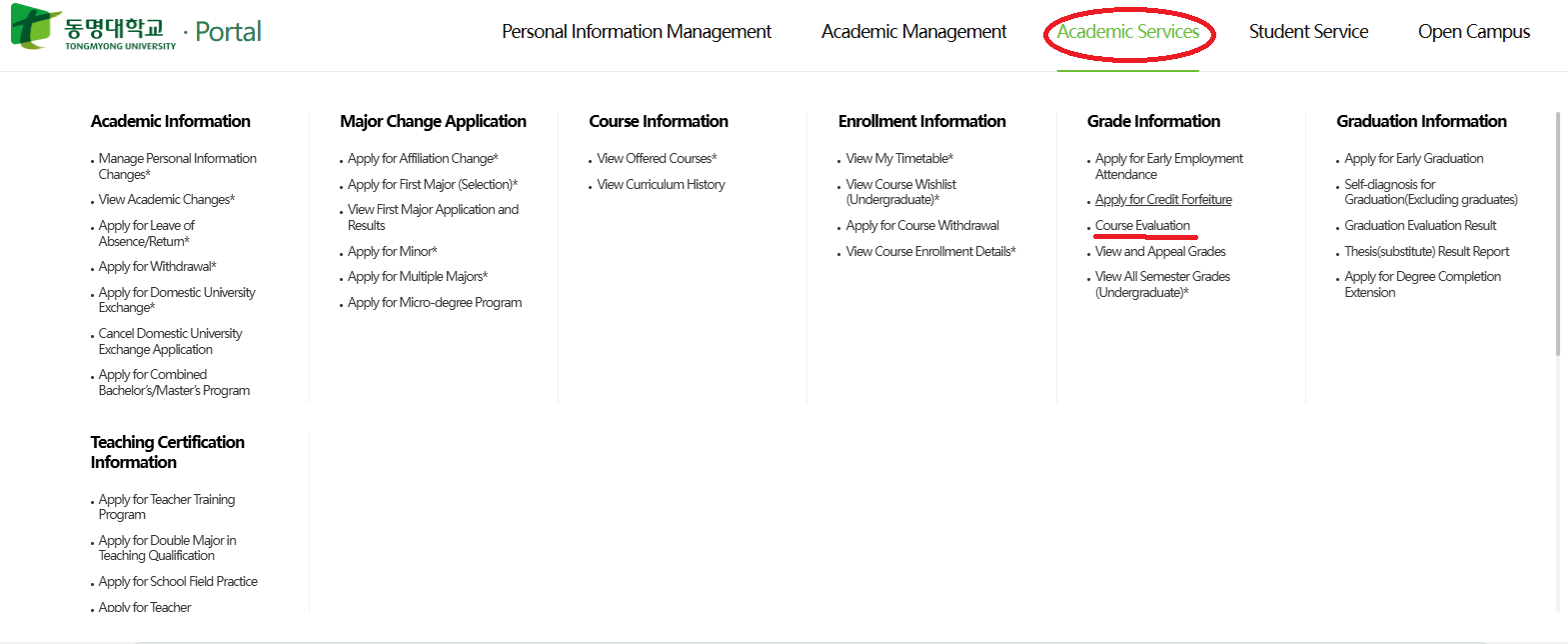
2. Click on Academic Services, then select Grade Evaluation.
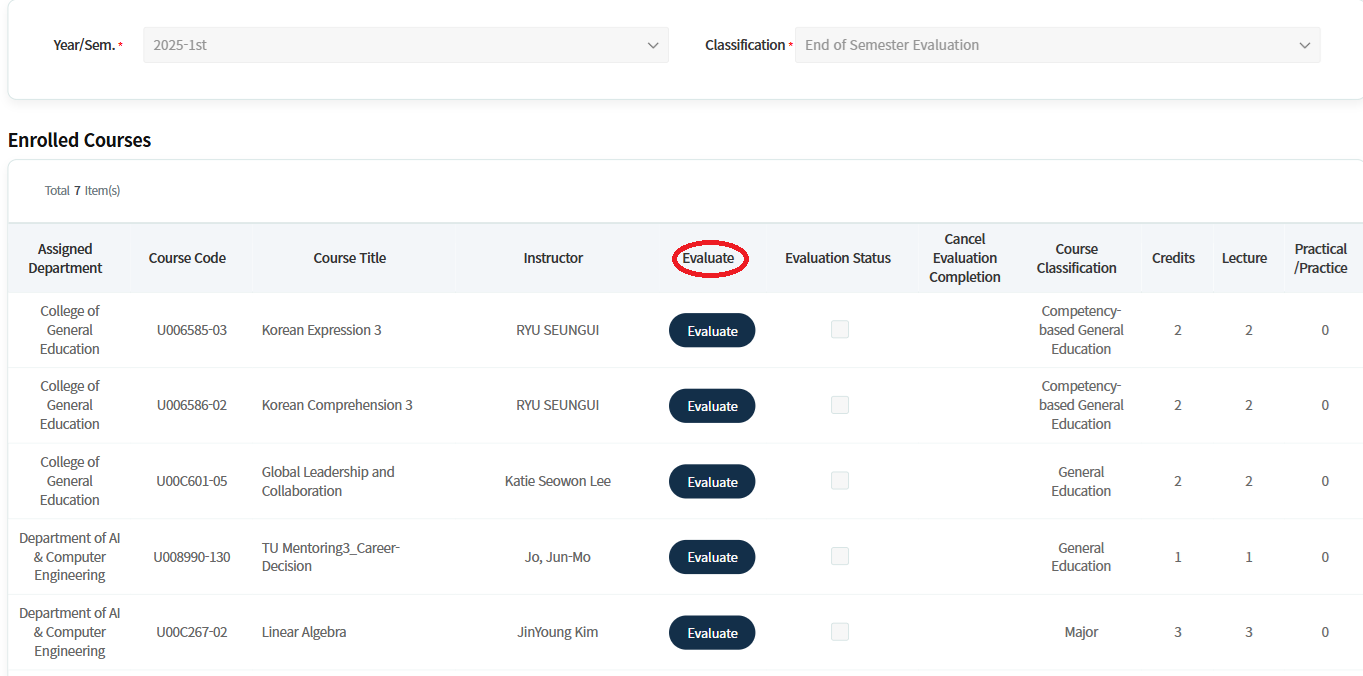
3. Please complete all course evaluations for the final exam.
If you do not complete them, you will not be able to view your grades.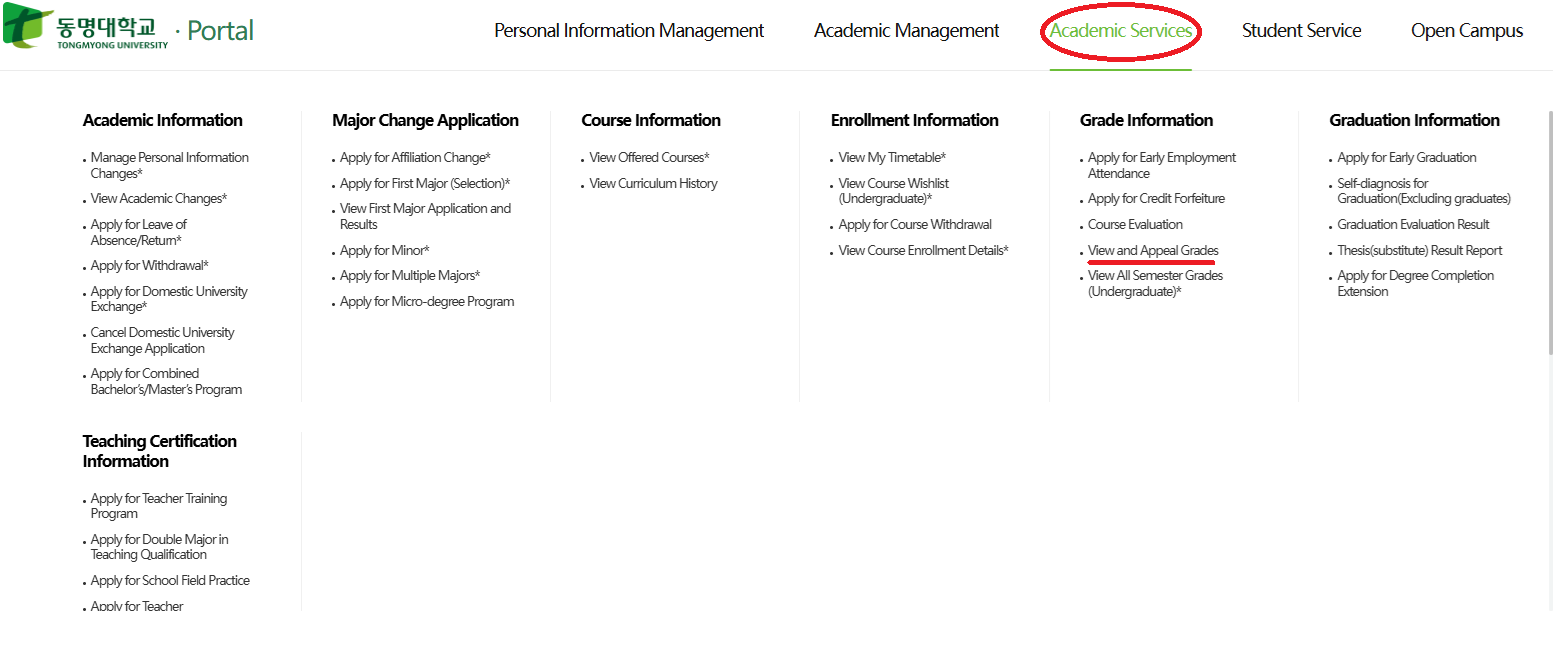
-To check your grades, go to Academic Services and click on "View and Appeal Grades."
You will then be able to view your grades.- -
A
- You can check which subjects you are taking this semester.
- You can view the weekly assignments for each subject and announcements from your professors.
- Alternatively, you can access the same information found on the Learning X app by simply visiting the website at https://ecampus.tu.ac.kr/ through an internet browser (e.g., Chrome etc.).
-
A
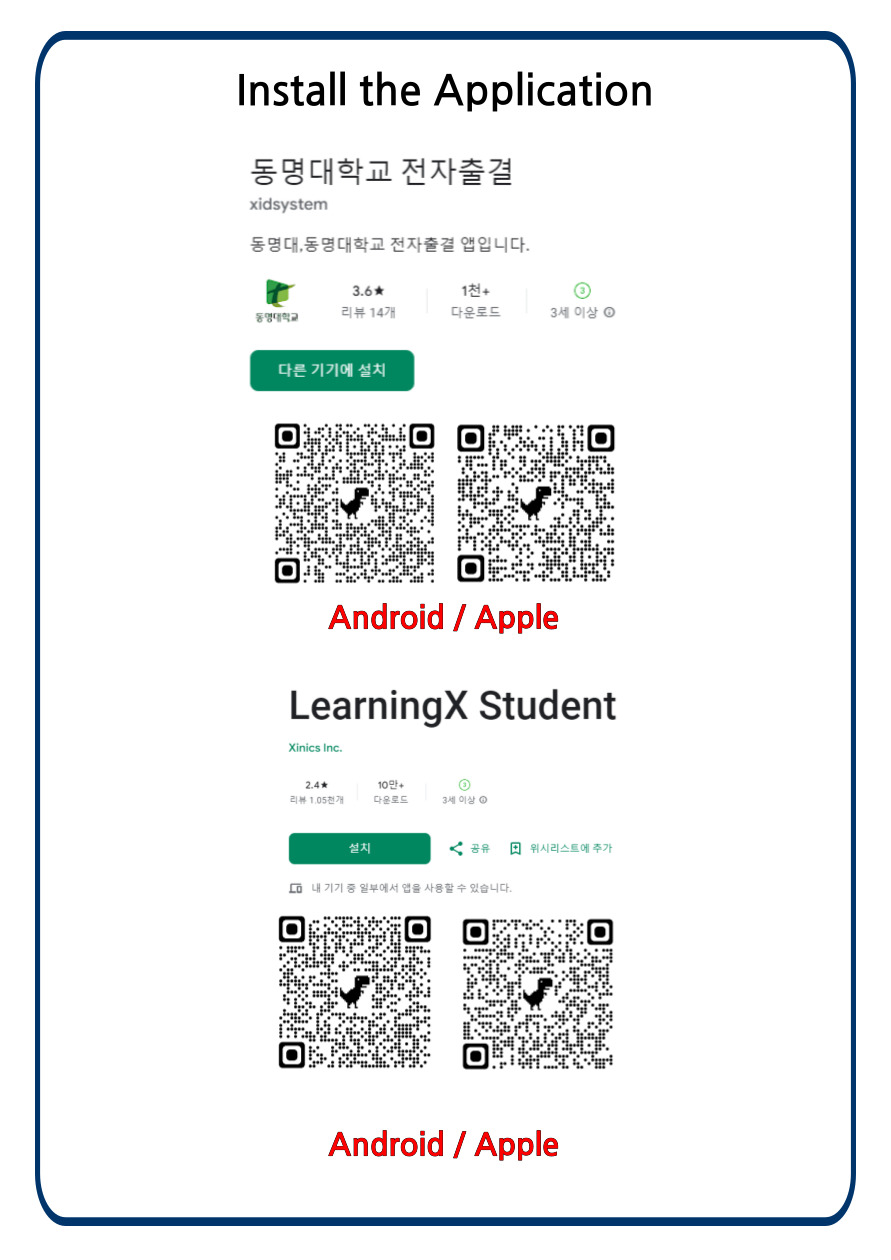
Please scan following the QR codes to download the apps on your mobile phones.